Last weekend I was experimenting a bit more with different ways to display the time, again working with clocks using Tweener and a bit of Maths and this is one of the widgets I did, the Radial Clock has similar idea to my Squares Clock but tweening the time units in a radial way similar to an analogue clock. I've used the ChangeColour AS2 class to show the rollOver state of a button that links to this blog.
Radial Clock
As you can see, this time I've added it to the yourminis website, and it's the first widget I've uploaded over there. To my surprise, few hours later, the clock had been cloned! of course immediately I wrote an email to yourminis letting them know about it... later on I realized that "cloning" widgets is actually a feature in the yourminis platform called "remix".
I'm a bit jealous with my widgets and didn't find it funny though... :P
Well, it was interesting trying a new widget platform, maybe another day I will write something about my experience using the different platforms I've used so far.
salut!
// --- Edit ---
It seems like yourminis doesn't exist any more. The widget shown here is powered by Widgipedia.
I made this class some time ago and I'm still using it whenever I don't have time or creativity to do any other rollOver - rollOut effect; One of my readers (who saw the Spanish-Polish application) asked me about it so, why not sharing the code?
I guess these days I would do it in a different way but still does the job; to use it, just copy and paste the following code into your actionscript editor and save it as ChangeColour.as
/* * * Version 1 * * Movieclip rollOver and rollOut ChangeColour class * * Author: Ernesto Quezada, Overloadstudios (ernesto.quezada(a)gmail.com) * Date: October 2006 * * Description: Gradually changes colour and brightness to a movieclip when rolled over * and back to its original colour when rolled out * */ class ChangeColour extends MovieClip {
private var control:Number = -10; private var addShine:Object; private var currentState:String; private var myColour:Color;
// -- Events -- private function onRollOver():Void { currentState = "rolledOver"; this.onEnterFrame = function () { checkState(); }; } private function onRollOut():Void { currentState = "rolledOut"; }
// -- private functions -- private function checkState():Void { myColour = new Color(this); myColour.setTransform(addShine); if (currentState == "rolledOver") { if (control<=100) { control += 10; addShine = {rb:control, gb:control-20, bb:control-50}; } else { addShine = {rb:0, gb:0, bb:0}; } myColour.setTransform(addShine); updateAfterEvent(); } else if (currentState == "rolledOut") { if (control>=10) { control -= 10; addShine = {rb:control, gb:control, bb:control}; } else { delete this.onEnterFrame; } myColour.setTransform(addShine); updateAfterEvent(); } } }
Then put it in a folder called Classes (or wherever your classpath points to) and whenever you want to use it, in the Flash library, right click on a movieclip, select export for actionscript and write ChangeColour as the AS 2.0 class.
I know, I made it 9 months ago and needs a review...
A year ago I posted something about a Spanish-Polish application I was working on as part of the experiments and personal stuff I was doing in my spare time. Let's see an update on what I mentioned in that post: - I managed to finish just 2 out of the 3 games I was working on (Breakout & Blitzkrieg) - The Spanish-Polish application is still half way, those designs where put into flash but still there's a lot to do. Only 3 out of 8 sections are working: Time, Calendar & Colours but still need sound. Click here if you want to check it out.
And, what am I working on these days? - 3 widgets - if I have time, I might continue with the Spanish-Polish application...
I'm a bit obsessed about data, I think of data as numbers because every single piece of data represents already a unit! For example, when I built the CPU Usage widget, I translated the numbers into bars, tweening depending on the data; same when I built the Moving Earth widget, where the magnitude of earthquakes is shown using bars as well... But if we take numbers and translate them into squares, so X units will be represented by squares, then we have something like my Firefox Screensaver or the Squares Clock widget:
As is experimental then expect some minor bugs :P If you like it, you can get it from Widgetbox.
Trying out FeedBurner I noticed most of my feed readers are using either iGoogle or Google Reader, products I knew about but never took a close look at them. I assume many other people are using this two ways to check news on many blogs without going to each blog each time... so I built this Add to Google flash button widget and uploaded it to Widgipedia, this is the description:
Promote your feed by placing this widget to your website. This will make it easy for people to quickly add your feed right to their Google homepage or Google Reader.
and this is how it looks like:
To be honest it wasn't that easy to build as there is some crazy php coding behind to get the HTML code from the page that displays the widget, search through it looking for the feed address and as soon as it locates the feed, sends this address to Google...
I hope people find it useful and if you think of a similar widget I should built, just shout ;)
The other day I asked my mate ThatBlokeMike which Tween class was he using, the answer: Rob Penner's one, included by default when you install Flash. I talked to him about the goodness of Tweener & how it helped me to speed up my developing process, but still couldn't convince him... That's why I've decided to have a look at both options and see why I prefer using Tweener rather than Tween.
When I first started "Tweening with Actionscript", I was checking every time a great tutorial on Kirupa about it: Using the Tween Class.
It was good at the beginning, in fact I used it for several months and was happy about it, but still had to go back to Kirupa to check the options; the reason: the code needed to do a simple tween is a bit too long...
For instance, if we want to blur a Movieclip on an OnMouseDown event, if using the Tween class, we will need to import the the Tween class, the Filter class, play a bit and after writing a long code and spent some good minutes doing it, we will get what we want. But, if using Tweener, with a couple of lines of code we will get the same effect! Click anywhere on the flash movie:
of course, it has some "back downs" but is up to you if you consider them "too bad", anyway, after using Tweener for some months now, I've found just two of them: - It doesn't (yet) have anything similar to the "yoyo();" method found in the original Tween Class. - It adds to your final swf 5 or 6kb more than if you were using the Tween Class only. for me, that's not a big deal, so my advice:
Download Tweener, try it out, if you like it, keep on using it, if not, don't use it and all of us happy :)
To celebrate it, I've changed the look & feel of this blog. To be honest, it wasn't easy because Blogger is not as flexible as other blog platforms but hey! I like it! :)
I just hope I can manage to have some free time to experiment more with Flash, build more widgets, games & write some more tutorials...
Having built some widgets for Widgetbox, three weeks ago I've got an email from them inviting me to participate in the BIG Widget Challenge which was a contest organized by Freewebs and Widgetbox. So, I did this Flash widget that takes information from the United States Geological Survey's Earthquake Hazards Program; this info is partly presented using Google Maps thanks to a component developed by AFComponents, and the rest of the info is presented in an info box which has a couple of animations made with the tweener class.
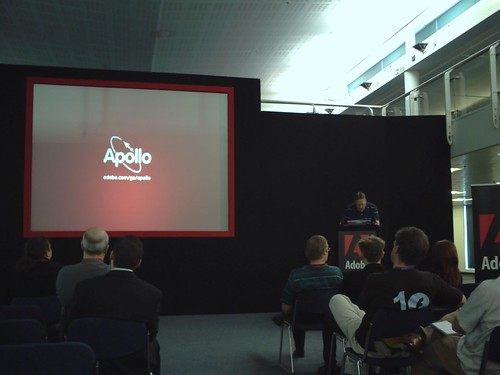
This time, 10 minutes about Adobe Apollo, very nice presentation from Daniel Dura, Apollo & Flash Evangelist from Adobe. Click the play button to play the video
Even though the option to create Apollo files from Dreamweaver didn't work in the presentation, this option looks really promising as its nice, easy & simple.
From the London Adobe Live Developer Event I filmed about 5 minutes of Andrew Borovskys presentation. I didn't have much battery left nor space on my miniDV tape but anyway, I ended up with a 1GB .avi file that couldn't upload to Google Video! As you can see, my Adobe Premiere Pro skills are very rusty... Hopefully this weekend I'll have time to practice a bit more and will have another video from the Adobe Live event ready to post here.
I heard they were expecting 1700 people for this event but not even half of them turned up, Mike Jones said it might have been due to the nice weather we had that day (not usual in London...) and because most of the people were working at that time... Some people forgot about it (hi Mike!), some people turned up later (how's going Tink?), some people left early (hey Dan Todd!)...
I think we have heard already many things that were said during that event, either in the London Flash Platform User Group meetings or from any blog in the MXNA (for example), or in any other presentation; although is always good to go to these sort of events to refresh your mind and FEED your IMAGINATION! as their slogan goes.
After almost 10 hours and many different presentations, we were given all the beers and food they had ready for these 1700 people; imagine being there with all these cool guys (Richard, Carlos, Elmer, etc) of course I got drunk and went home with some pictures, 30 minutes of video and a big smile :)
It's been a while... I haven't had time to post anything recently, even though I've had many interesting things to talk about, for instance I went to Mike Downey's presentation on Apollo at the London Flash Platform Users Group where I asked him if there would be any support from Apollo to Actionscript 2 and seems like they will stick with the Actionscript 3 support that it has already. Well, anyway, as my fiancée went to Poland for the weekend, I had time to play a bit with the Tweener class and to finish up this game: Breakout.
I know it doesn't have levels or anything special but I like it :)
I'm just testing how the youminis widgets engine works. I must say it was easy to put a widget on the blog, I just selected the widget and chose "copy to web", a blogger icon appeared and I was asked my gmail address and password, pressed copy it! and there you go:
That was really simple. Of course there where many more options, like Hi5, mySpace, Typepad and many more. yourminis has lots of potential, specially because they are cross platform in any sense, not only due to the nature of their platform, Flash, that we know can be seen in any browser in any operative system that has the plug-in, but because they can be downloaded to the desktop thanks to Adobe Apollo alpha. Yeah, any widget in yourminis can be downloaded to the desktop. I think is fantastic!
well, as Adobe Apollo is still alpha, it lacks many things including support for html-flash based applications in some specific areas. Seems like this first release targets mainly Flex developers as it has much more support for Flex applications, for instance dragging, closing, maximising applications, etc. Therefore, as is coming from a Flash movie, my first application is in alpha stage but as I still find it pretty cool, I'm releasing it. It doesn't have a close button so you would need to press Alt+F4 to close it or right click on the taskbar and select "close"
You would need the Apollo Runtime to be able to run this application. Description: Ants running on your desktop that interact with your mouse. You can still use all other applications while this one is running.
After my post Flash Skype Status Part III I've received emails from some of my readers asking me for help as they couldn't understand 100% the whole process. When I did the experiment in September last year, I didn't take into account many things and just continued playing with Flash, php and the XML from SkypeWeb. To avoid confusion, let's see how to show in Flash my Skype Status in a simple way:
TEXT ONLY - Open a new Flash document - Select the Text tool and put a dynamic text field on the stage with instance name "myStatus" as shown in the picture
- on a new layer, write the following actionscript:
function loadXML(loaded:Boolean):Void { if (loaded) { my_status = this.firstChild.firstChild.childNodes[2].childNodes; attachStatus(); } else { trace("XML not loaded!"); } } xmlData = new XML(); xmlData.ignoreWhite = true; xmlData.onLoad = loadXML; xmlData.load("http://mystatus.skype.com/myID.xml"); function attachStatus():Void { myStatus.text = my_status }
You would need to change myID for your actual Skype ID, ie echo123 - Test your movie pressing ctrl+enter, your Skype status should be shown in the text field. *There is still a problem: "cross-domain" policy. I will explain how to avoid it later on.
If you want to know more about XML and Flash, please follow this link.
ADDING INTERACTIVITY If you want to show different images depending on your status and let users interact with you, then follow this steps: - Open a new Flash document - As there are 6 different status, you should have already 6 different images. Import them all into your document and create a movieclip for each of them
- The most important thing here is to put an identifier name to each of them; to do that, right click on the MovieClips in the Library and select "linkage" and write as Identifier the exact name of each status, for instance "Do Not Disturb"
- You might have noticed already that in the library there is a seventh movieclip called "loader_mc". So we need to put an instance of this empty movieclip on the stage and the stage will have nothing else but our "loader_mc" that in fact is empty!
- on a new Layer write the following code:
function loadXML(loaded:Boolean):Void { if (loaded) { my_status = this.firstChild.firstChild.childNodes[2].childNodes; attachStatus(); } else { trace("XML not loaded!"); } } xmlData = new XML(); xmlData.ignoreWhite = true; xmlData.onLoad = loadXML; xmlData.load("http://mystatus.skype.com/myID.xml"); function attachStatus():Void { loader_mc.attachMovie(my_status, "status", 1); }
You would need to change myID for your actual Skype ID, ie echo123 - Test your movie pressing ctrl+enter, your Skype status should be shown on your movie. - We can as well add a script to allow any visitor to contact us when pressing the movieclip. To do that just add the following actionscript:
People can have a chat with you through Skype if you're online or leave a message if you're not. There are more options and all of them are explained on the Advanced Skype Links.
CROSS-DOMAIN POLICY Cross domain in flash is when data from X website is loaded into a movie on another website with different domains; for security reasons, Flash Player is only allowed to do that under certain circumstances. To read more about Flash Player Security Sandbox, click here. As the data we are trying to load is served by skype.com, we would need to by-pass the cross-domain policy; we can do that using a php script:
If you want to keep a record and show how many times has a file been downloaded, you can use Flash, php and a simple txt file to hold the number of downloads.
When I finished my Firefox Screensaver, I showed it first at the spreadfirefox community, of course, without any way to count the downloads. When I finally had the time to show it here on my blog, I was looking for a way to count the number of downloads but had the limitation that on this blog, as far as I know, is only possible to write "front-end" scripts and, as you know, without a server is not possible to have any downloads counter as there is no way to store any data.
However, using flash as front-end I can pull any data from anywhere behind the scenes and show it back on the same flash.
Then, if in case you want to create a file downloads counter, just follow these steps:
First of all, we will need 4 files, - the file we want to be downloaded, usually a compressed .zip file - theCounter.txt file which will store the downloads number - the flash file to show the number of downloads and to allow people to download the file - a php file which behind the scenes will manage the downloads counter and point to the right link to the file to be downloaded.
Let's start with the flash file:
- Open a new flash document - Put on the stage all the graphics you need and also a dinamic text field which will show the number of downloads with an instance name of "downloads" as shown in the picture:
- Select the background image and press F8 to make it a movieclip, and put it as instance name "downloads_btn"
- On a different layer called "actions", write the following actionscript:
// --- Function to load the stored number --- function loadingVars():Void { var my_lv:LoadVars = new LoadVars(); my_lv.onLoad = function(success:Boolean) { if (success) { downloads.text = "( "+my_lv.downloads+" downloads )"; } else { trace("Error loading/parsing LoadVars."); } }; my_lv.load("theCounter.txt?num="+random(999)); } // --- Calling the function --- loadingVars(); // --- Button actions --- downloads_btn.onPress = function() { getURL("downloads.php"); }; downloads_btn.onRelease = function() { loadingVars(); };
What is happening here is, first we are loading the variable stored in theCounter.txt file and to avoid the cache memory and load a fresh value everytime, we add a ?num=random(999) that gives us a unique value when calling the same file, that way the browser thinks you are loading a different file... When pressing the button, we are calling a php which is the one in charge of the download and counter system. On releasing the button, we load the variable again and as the file we are offering for download has been requested another time, the value of the variable loaded is bigger by one. Save the file and publish it to have a swf file.
Now let's see the php:
- Open dreamweaver or any other php editor; even notepad can do the job. - Write the following code: I'm sorry this is an image but as I said before, blogger doesn't like back-end scripts and stripped it out when I wrote it here...
We are first opening theCounter.txt file, checking what it has inside and from it, the value of "donwloads" is stored in a variable called "count", then add one to this value, write the variable and the new value of it back to the txt file and closes it. Next we give the real location of the zip file and redirect the browser to it.
The .txt file has only one line inside: downloads=X where X is the current number of downloads, so the first time it should be 0 (zero). That's it! just upload everything to a server with php support and embed your swf where convenient. For example, I embeded my swf on this post:
Try it, click on the button, download and install the screensaver, if you don't like you can always uninstall it :)
Integrate your site with Stumbleupon; Adding this widget allows people to submit a story from your blog or any other personal website to Stumbleupon for others to discover.
StumbleUpon is a great way to find websites that are really interesting for you as they have been submitted to the database into different categories, you subscribe only to the categories you like. It's so addictive that my del.icio.us account is growing thanks to the cool stuff I discover when I "Stumble".
If you already have an account with them and have a blog, why not adding this widget:
Alias Cummins presenting at the London Flash Platform Users Group meeting last night.
We had two great presentations yesterday night; the first one, Alias showed us some cool stuff he has done experimenting with filters, bitmaps, and some other classes. He explained us how all this special filters and stuff comes from the same root: Perlin noise. In the end he showed us some code that looks simple but complex at the same time, using Maths and other crazy stuff.
The second presentation was in hands of Dan Thomas on Apollo. After explaining us some things about the legendary Apollo soon to be released (hopefuly), there was a debate about how good is Apollo and why should anyone choose it instead of for example JAVA? I think Emmanuel raised a good point when saying we are following too much Adobes press that even we are doing much more marketing than them. Very true! Anyway, for desktop applications, I preffer to continue using MDM Zinc, a much more mature tool to develop desktop RIAs.
And the best part of the meeting, for me of course, I was AGAIN the lucky winner of a book! This time is Richard Leggett's FLASH APPLICATIONS FOR MOBILE DEVICES that of course I started reading already.